
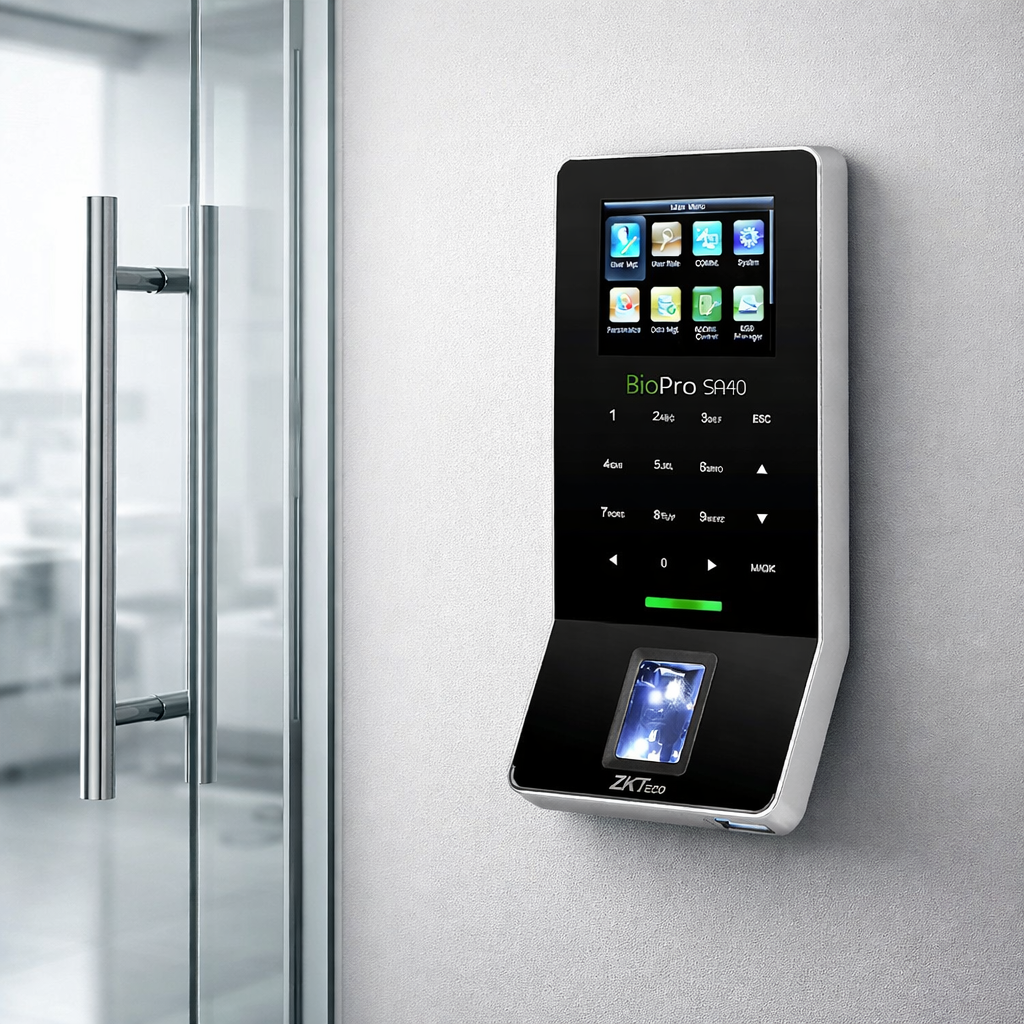
The BioPro SA40 — redefining what a fingerprint terminal can look like.
When people hear ‘ultra-thin,’ they often think ‘compromised.’ Thinner laptops run hotter. Thinner wallets hold less. So when ZKTeco released the BioPro SA40 — a fingerprint time attendance and access control terminal that measures just 19.4mm deep — it’s natural to wonder: what had to be cut to achieve that silhouette?
The answer, as it turns out, is nothing that matters.
The SA40 doesn’t just look premium. It performs at a level that rivals far bulkier competitors, packing an advanced biometric sensor, full access control capabilities, multi-network connectivity, and a feature set that checks virtually every box for modern commercial security. In this deep dive, we’ll break down exactly how ZKTeco pulled it off — and why the SA40 might be the smartest security terminal your building isn’t using yet.
1. The Heart of the Machine: ZKFinger VX10.0 Algorithm
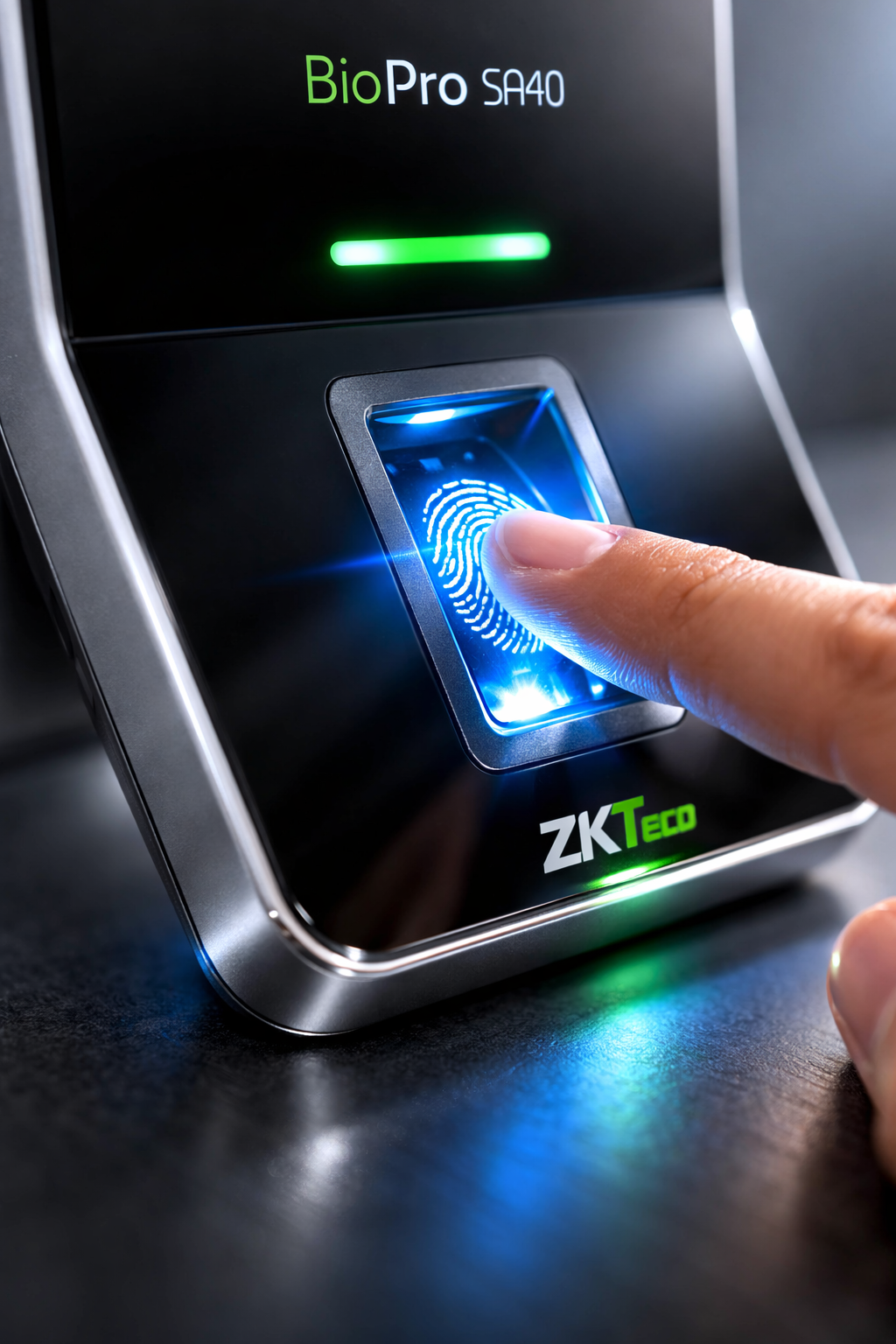
The BioID sensor captures fingerprint data with exceptional clarity and speed.
The most important thing inside any biometric terminal isn’t the screen or the casing — it’s the algorithm. The BioPro SA40 runs ZKTeco’s ZKFinger VX10.0, which is among the fastest commercially available fingerprint matching algorithms in the world.
What does that mean in practice? It means the gap between pressing your finger and hearing the door click open is almost imperceptible. More importantly, it means false rejections — where a legitimate user is denied access — are dramatically reduced. In high-traffic environments like corporate lobbies, warehouses, or hospital entrances, slow or inaccurate matching creates bottlenecks and frustration. The SA40 eliminates that.
The algorithm works hand-in-hand with the BioID sensor, a ZK high-performance infrared detection fingerprint sensor engineered for exceptional image quality. Infrared detection is particularly valuable in real-world environments: it performs reliably on dry fingers, slightly worn fingerprints, and under varying lighting conditions that would trip up optical alternatives.
Together, the sensor and algorithm deliver what ZKTeco describes as ‘reliable, precise and excellent matching speed’ — and those aren’t just marketing words. The SA40 can store up to 3,000 fingerprint templates and 30,000 transaction records, making it fully capable as a standalone deployment in medium-to-large enterprises.
2. Full Access Control in a Form Factor You’ll Actually Want to Install
At just 19.4mm deep, the SA40 brings access control into the modern design era.
Let’s address the elephant in the room: most fingerprint access control terminals are ugly. They’re thick black boxes with mediocre screens and utilitarian designs that clash with any modern interior. That’s fine for a server room. It’s not fine for a client-facing lobby or a contemporary co-working space.
The BioPro SA40 was built with a different philosophy. Its ultra-thin, elegant design at 159.8 x 80.7 x 19.4mm makes it look more like a premium smart home device than a security terminal. The 2.4-inch TFT color screen and responsive touch keypad complete a user experience that feels intuitive rather than industrial.
But the SA40 doesn’t sacrifice substance for style. Its access control feature set is comprehensive:
- Anti-passback: Prevents users from passing their credential to someone else to enter without exiting first — a critical measure against tailgating and buddy-punching.
- 3rd Party Electric Lock Support: The SA40 interfaces directly with standard electric locks, meaning you’re not locked into ZKTeco’s own hardware ecosystem.
- Door Sensor Integration: The terminal can monitor whether a door is open or closed and trigger alerts accordingly.
- Exit Button Support: Clean integration with standard exit request buttons for two-way access management.
- Alarm Output: Tamper events, forced entry, or door-held-open scenarios can trigger alarm signals directly from the device.
- Wiegand Signal In/Out: Standard Wiegand compatibility means the SA40 can communicate with virtually any third-party access control panel on the market.
This combination makes the SA40 equally suited to standalone deployments and integration into larger, enterprise-grade access control ecosystems.
3. Connectivity Without Compromise: TCP/IP, RS485, and Wi-Fi
Multiple connectivity options ensure the SA40 fits into any network environment.
One of the most underappreciated features of the SA40 is its flexibility in how it connects to your network — and why that matters far more than most buyers initially realize.
Many buildings have pockets where running ethernet cable is prohibitively expensive or structurally impractical. Others have legacy RS485 infrastructure that would cost thousands to replace. And increasingly, businesses want the freedom to install terminals anywhere without worrying about cable routing at all.
The SA40 handles all three scenarios:
- TCP/IP: Standard wired ethernet for reliable, high-speed data transfer. Ideal for permanent installations in newly wired environments.
- RS232/RS485: Serial communication compatibility for integration with legacy systems and long cable runs — RS485 supports cable runs up to 1,200 meters, making it ideal for large campuses or industrial sites.
- Standard Wi-Fi: Built-in wireless connectivity frees you from cable constraints entirely. Install the SA40 wherever it makes security sense, not just wherever cable routing is convenient.
This multi-protocol approach is particularly valuable for organizations deploying multiple terminals across a mixed infrastructure — some areas wired, some wireless, some connecting through existing serial networks. The SA40 adapts rather than forces you to adapt around it.
Additionally, the built-in auxiliary input allows the SA40 to link with a wired detector or emergency switch, adding another layer of integration capability for complex security setups.
4. Verification Flexibility: Because One Method Doesn’t Fit All
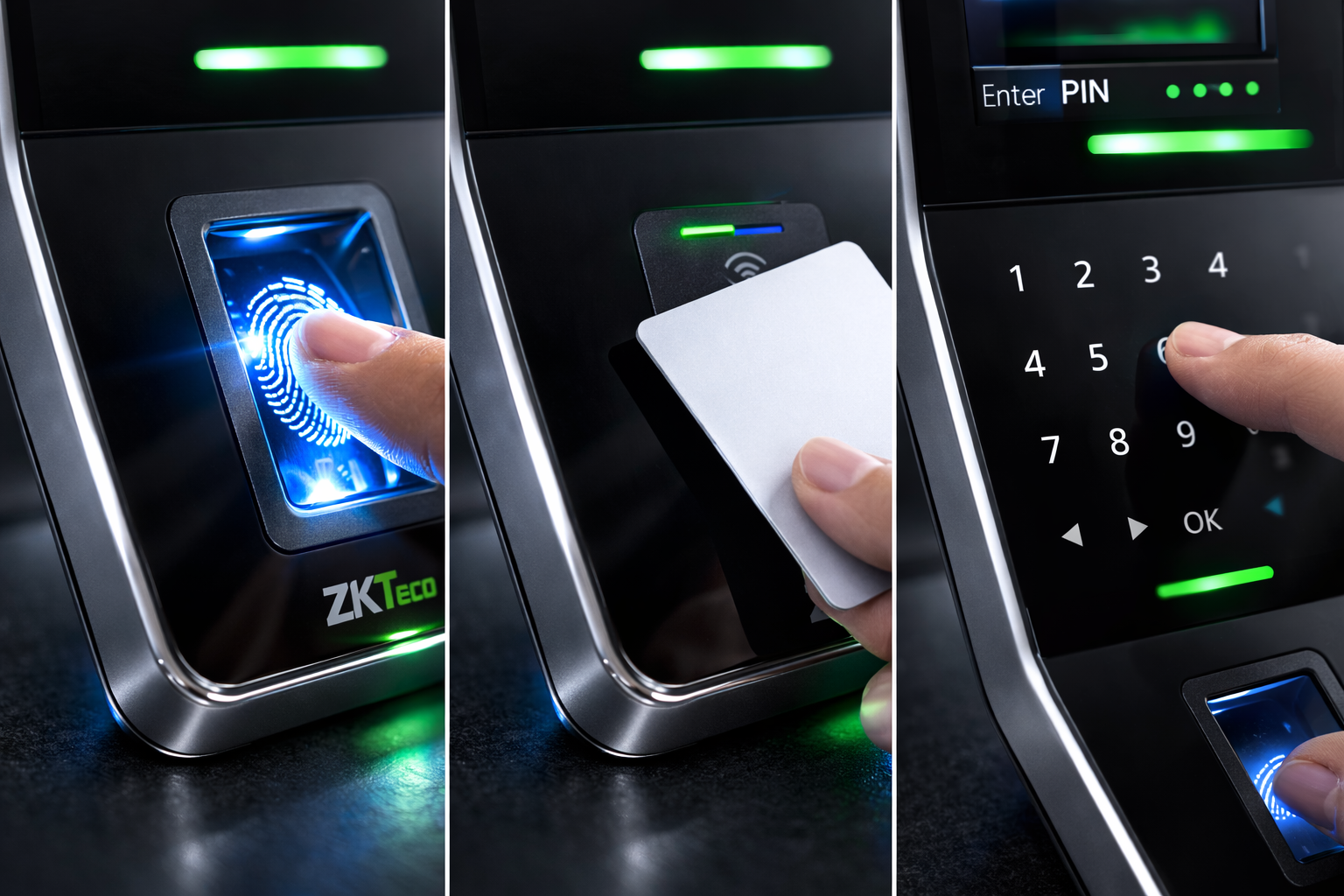
Multiple verification modes make the SA40 adaptable to diverse workforce needs.
Biometrics are excellent — until someone has a cut on their finger, works in an environment that degrades fingerprint quality, or is managing temporary workers who haven’t been enrolled in the system yet.
The SA40 addresses this with multiple verification modes, giving administrators the ability to configure the appropriate authentication method per user or per door:
- Fingerprint only: The default, most secure mode for everyday use.
- Card only (optional): The SA40 supports optional ID or Mifare card integration for environments where card-based access is preferred or required.
- Multi-verification: Combine fingerprint and card for two-factor authentication at high-security access points.
The SA40 also supports a 14-digit user ID and T9 text input, enabling flexible user management across large workforces. With a card capacity of 5,000 (optional), the device handles significant scale without requiring enterprise-tier hardware.
5. Smart Scheduling and Workforce Management Built Right In
The 2.4-inch TFT color screen delivers a clean, readable interface for daily use.
The SA40 isn’t just a door controller — it’s a time attendance platform. Its built-in features for workforce management include:
- Daylight Saving Time (DST) support: Automatically adjusts records during seasonal time changes, preventing payroll headaches.
- Automatic Status Switch: The device can automatically change its operational mode (check-in, check-out, overtime, etc.) based on a schedule, removing the need for user selection and reducing errors.
- Scheduled Bell: Configure the SA40 to trigger a signal at preset times — useful for shift changes, break reminders, or school period bells.
- Record Query: Users and administrators can query attendance records directly on the device, enabling quick verification without needing to log into a back-end system.
- ADMS (Automatic Data Master Synchronization): Enables automatic push of data to a management server, keeping records synchronized across your deployment in real time.
These features position the SA40 as a complete attendance and access solution, not just a reader that passes data off to a separate system.
6. Key Specifications at a Glance
| Specification | Detail |
| Display | 2.4-inch TFT LCD Color Screen |
| Fingerprint Capacity | 3,000 templates |
| Card Capacity | 5,000 (Optional ID or Mifare) |
| Transaction Capacity | 30,000 records |
| Sensor | BioID Sensor / Z-ID Sensor (optional) |
| Algorithm | ZKFinger VX10.0 |
| Communication | RS232/485, TCP/IP, USB-host, Wi-Fi |
| Wiegand | Input & Output |
| Access Control | Electric Lock, Door Sensor, Exit Button, Alarm |
| Power Supply | 12V DC, 3A |
| Operating Temp | 0°C – 45°C |
| Humidity | 20% – 80% |
| Dimensions (LxWxH) | 159.8 x 80.7 x 19.4 mm |
Who Is the BioPro SA40 For?
The SA40 fits naturally into professional environments where aesthetics matter as much as security.
The SA40 is a strong fit for any organization that needs reliable biometric access control and time attendance without sacrificing aesthetics or flexibility. It’s particularly well-suited to:
- Corporate offices and co-working spaces where design matters and the terminal will be seen by clients and visitors.
- Multi-site businesses needing consistent deployment across varied network infrastructures (some wired, some Wi-Fi).
- Educational institutions and healthcare facilities where shift management and reliable access logging are critical.
- Retail and hospitality environments where a visible security terminal needs to complement rather than clash with the interior design.
- Industrial and manufacturing sites connecting through legacy RS485 networks or requiring long cable runs.
The Verdict: Thin by Design, Powerful by Choice
The BioPro SA40 makes a compelling argument that the trade-off between form and function in access control technology is largely a myth — or at least, it used to be. ZKTeco has engineered a terminal that is genuinely beautiful and genuinely capable, without one coming at the expense of the other.
With the ZKFinger VX10.0 algorithm delivering sub-second matching, the BioID infrared sensor handling real-world fingerprint variations, full access control features including anti-passback and Wiegand output, three network connectivity options, and a design that actually complements modern spaces — the SA40 isn’t a compromise. It’s an upgrade.
If your business is still relying on chunky, outdated access terminals that embarrass your lobby and slow down your employees, the SA40 is the clearest possible case that there’s a better way.
| Ready to Upgrade Your Access Control? Contact Email: info@zktecobahrain.com |


